
🚀 What’s New?
Experience Builder Workflow Navigation Enhancements
We’ve made navigating the Experience Builder much more flexible! Previously, users could only move forward using the Next button, which was frustrating when trying to revisit previous steps. Now, you can navigate freely using the workflow tabs.
Here’s how it works:
-
Incomplete steps remain grey.
-
Unsaved changes on a step will highlight the tab in orange.
-
Saved changes will turn the step green.
-
You can preview your experience as long as all steps are either green or orange (unsaved changes won’t be included in the preview).
-
Publishing is only possible when all steps are green.
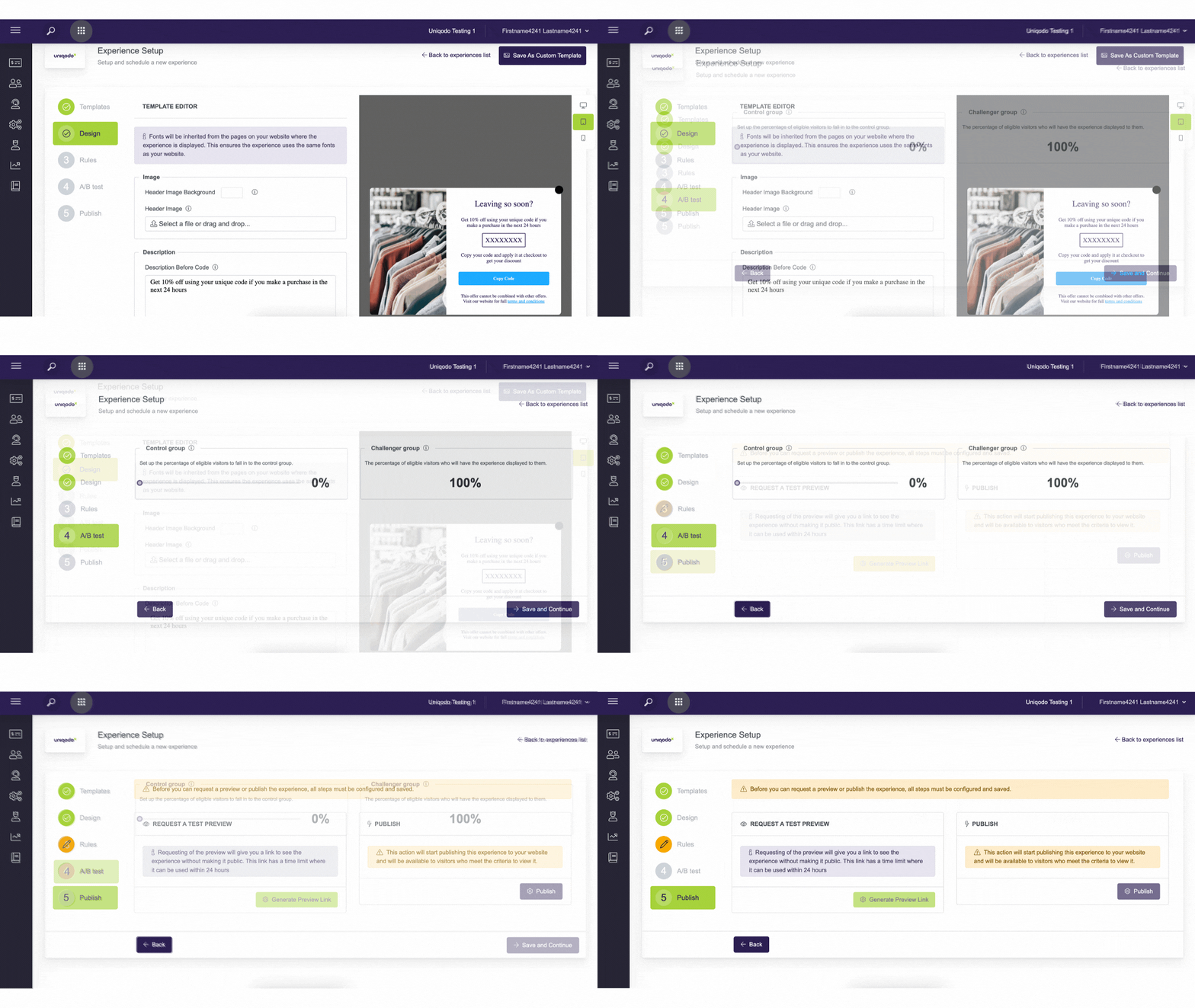
This update makes it easier to move between steps and even exit the page without saving if needed. Just a heads-up: if you refresh the page, any unsaved changes will be lost.
🔧 Improvements
Updated Button Label in Experience Builder
To better reflect its function, the Next button in the Experience Builder has been renamed Save and Continue. This makes it clear that pressing the button will save any changes made in that section before moving forward.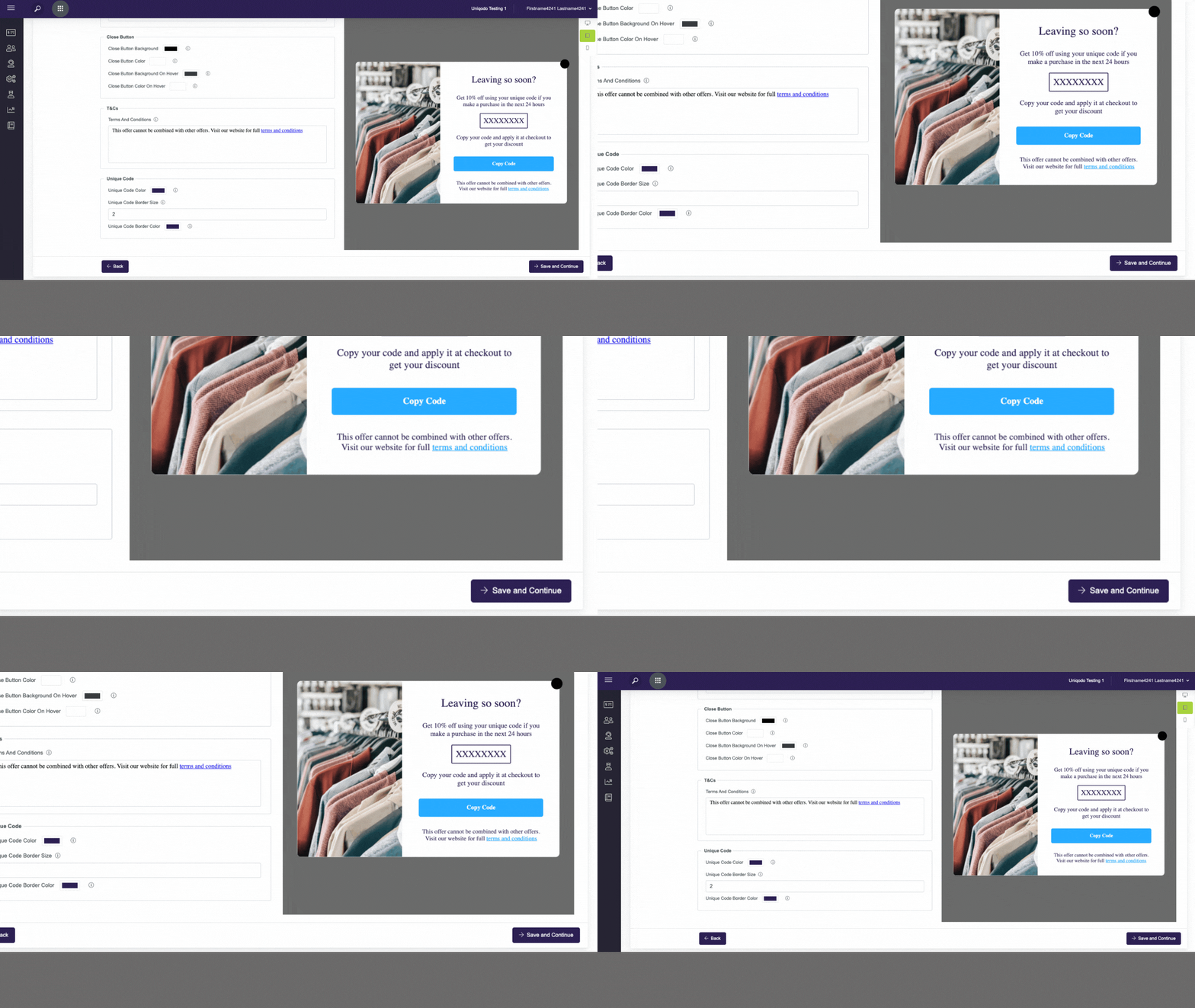
Date Range Reminder for Promotions
When setting up a promotion, if the experience start date is within the next three days, you’ll now see a reminder message next to the date range. This is just a quick check to ensure you’ve selected the correct start date.
Multi-Select Enhancements
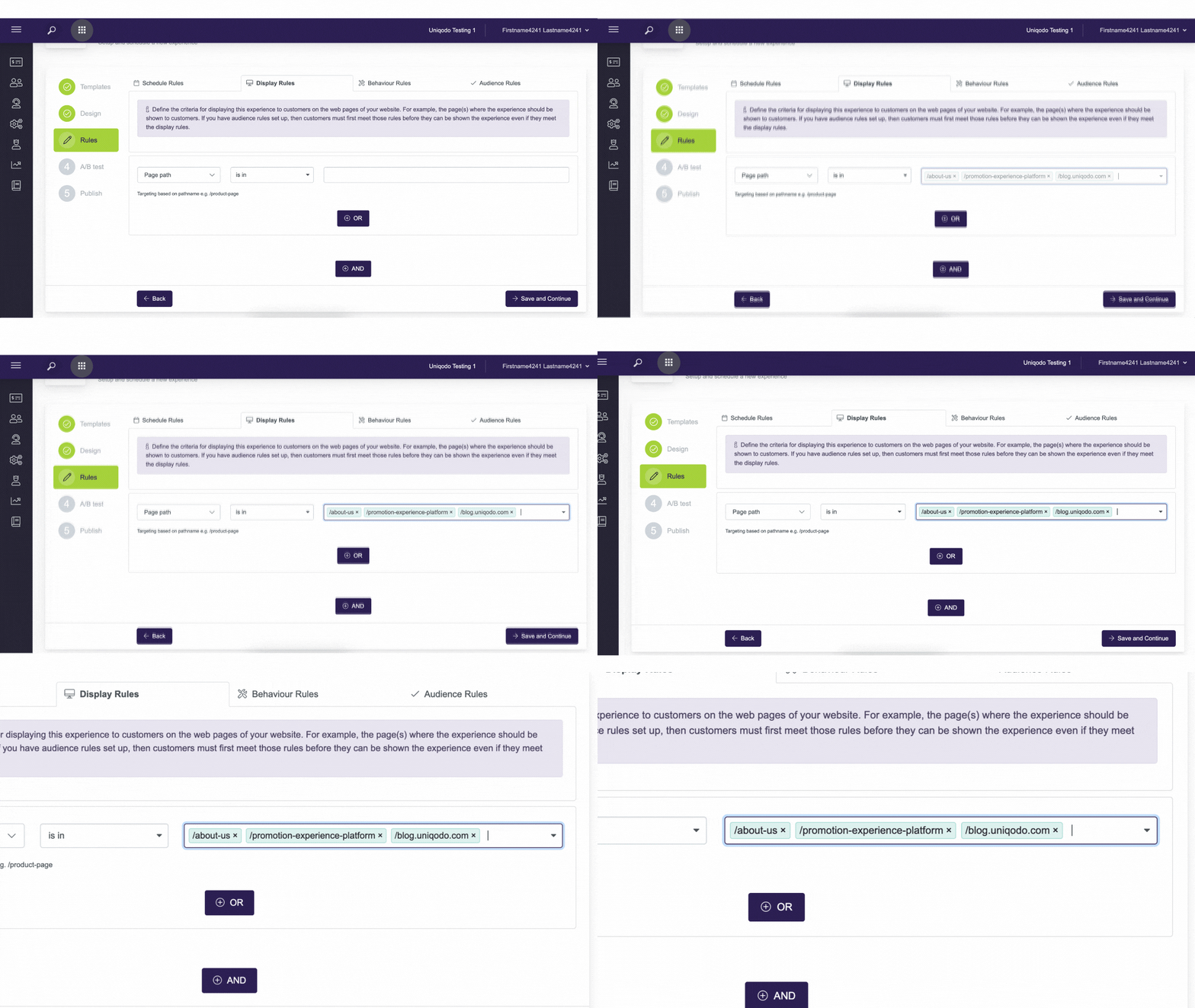
We’ve improved the multi-select input fields for a better experience:
-
The layout now has extra padding for a cleaner look.
-
You can now copy and paste multiple options at once instead of adding them one by one. Just format your options as a list, separated by new lines, and paste them directly into the field.
🐞 Bug Fixes
-
Referral End Date Issue – Fixed a bug where the end date for a referral program wasn’t saving correctly when revisiting the settings.