
You can create a Loyalty Campaign from within the Loyalty Programme or from the left hand menu.
Give your campaign a name.
Set the campaign start date and end date, or choose to not set an end date.
Choose an earning event that will need to take place for the points to be awarded.
Once you have chosen your event set the points to award. This is likely to be either:
Points pers very 1 unit of your default currency spent.
Total points to be awarded up on the event taking place.
Finally add the T&C's that go with the campaign.
Once you are happy click 'create'
Success, your campaign us now created! To edit, see the details or pause the campaign press the hamburger menu.
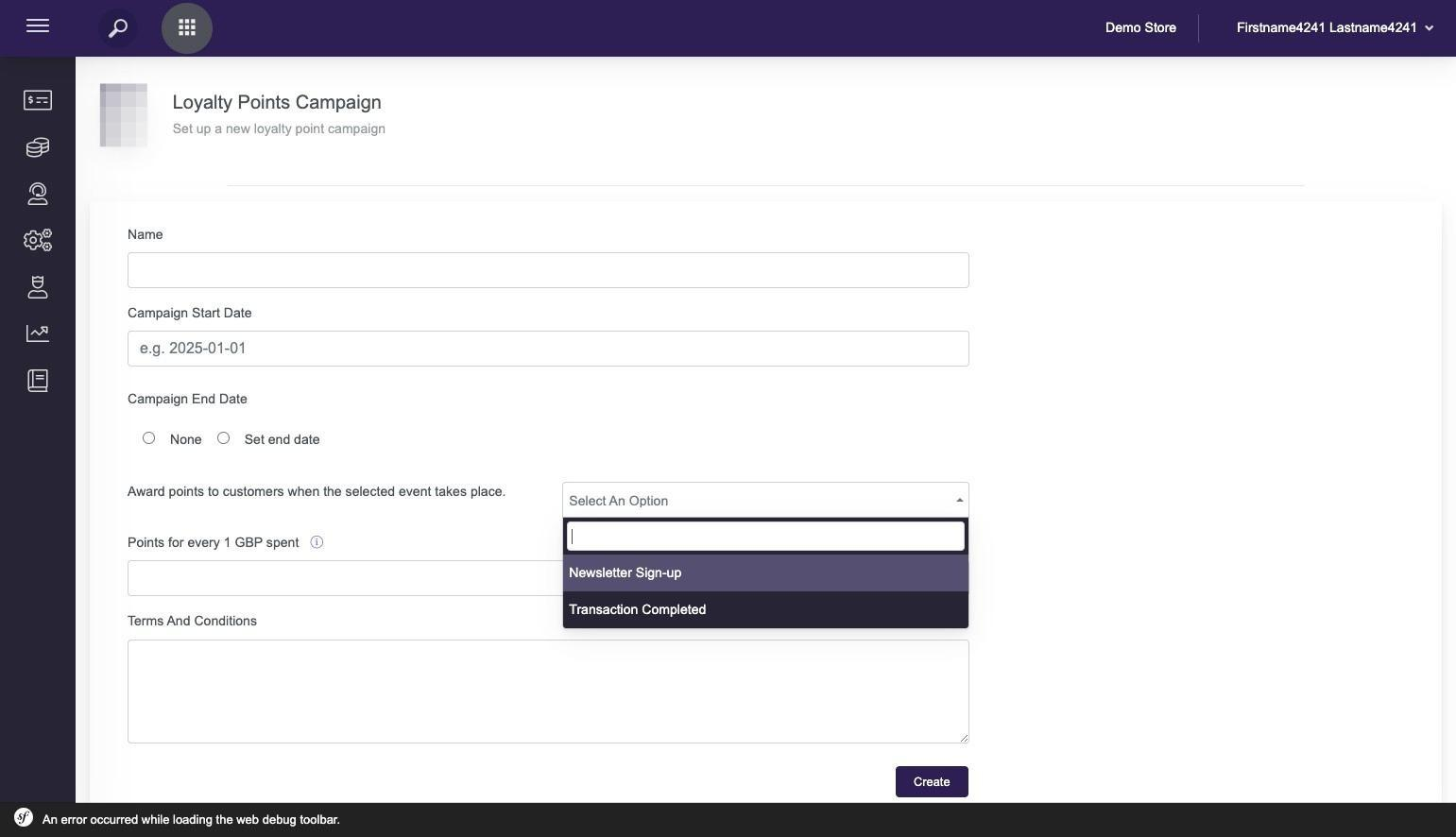
If you don't see the event available that you would like to award points for get in touch with your Customer Success Manager, we have plans to add more events!
Note: Any changes that you make to your Loyalty Campaign in the future will apply from the date that the change is made.