
You will find Loyalty within promotion management in the left hand menu. Navigate to the Programme Settings to create the overall settings for all of your loyalty campaigns.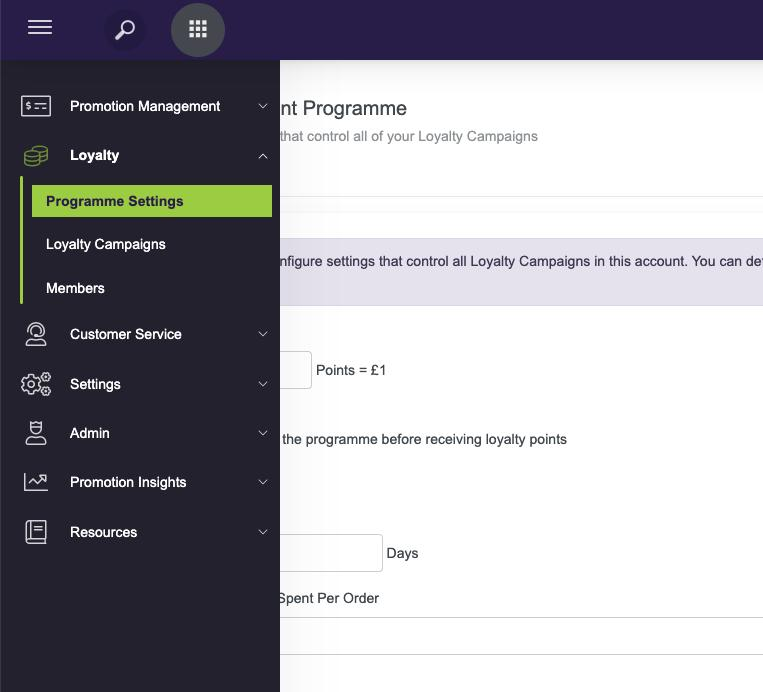
The loyalty programme holds settings associated to the redemption of earned Loyalty Points and expiry of earned points. Set the following for your Loyalty Programme:
-
Points Conversion for redemption - set the number of points that convert to 1 unit of your default currency.
-
Use the check box if customers must opt in to the programme before receiving loyalty points.
-
Unused Points Expiry - set the amount of days that any unused points will expire after, you can choose for them to never expire
-
Set the maximum number of earned loyalty points that can be spent in each order. Leave blank if you do not want to cap this.
Once you are happy with your Loyalty Programme settings press Save and move on to setting up your first Loyalty Campaign.
Note: Any changes that you make to your Loyalty Programme settings in the future will apply from the date that the change is made.