
The first thing that you will need to do is set up the promotion(s) that define the rewards that the referrer and friend will receive.
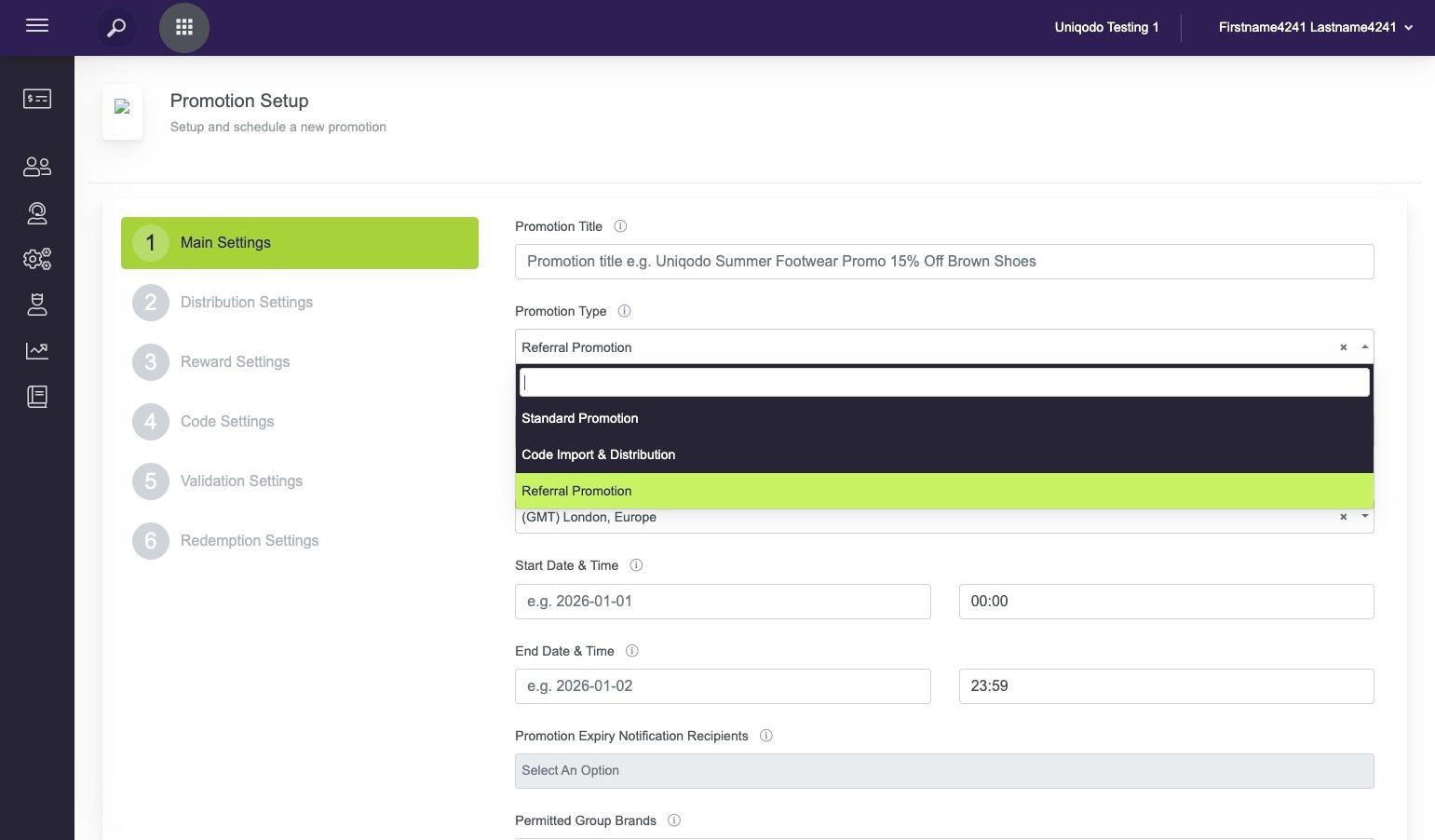
You do this is the usual way that you would set up a promotion just make sure that under Promotion Type you select 'Referral Promotion', this will allow you to select it in the next step.
Tip! Should you wish, you can use all of the reward types and validation rules that you would in an normal code promotion.
Alert! T&C's that you specify in each promotion will be displayed to the user on via the T&C's link that will be presented to them on the offer. Please make sure you are happy that the T&C's are externally facing.
Now that your promotions are set up look for Referral in the left hand navigation menu and click "Programme Setup"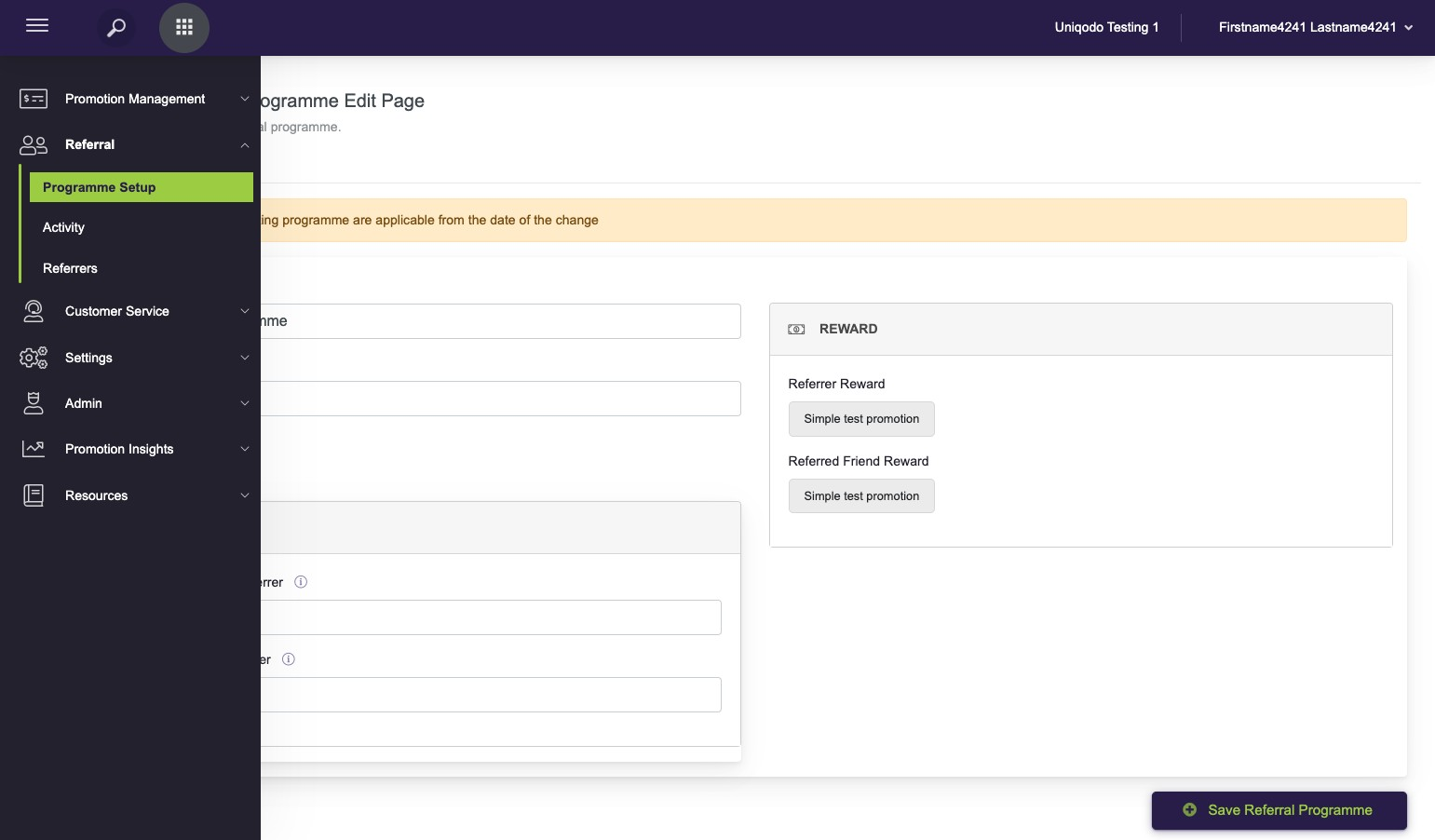
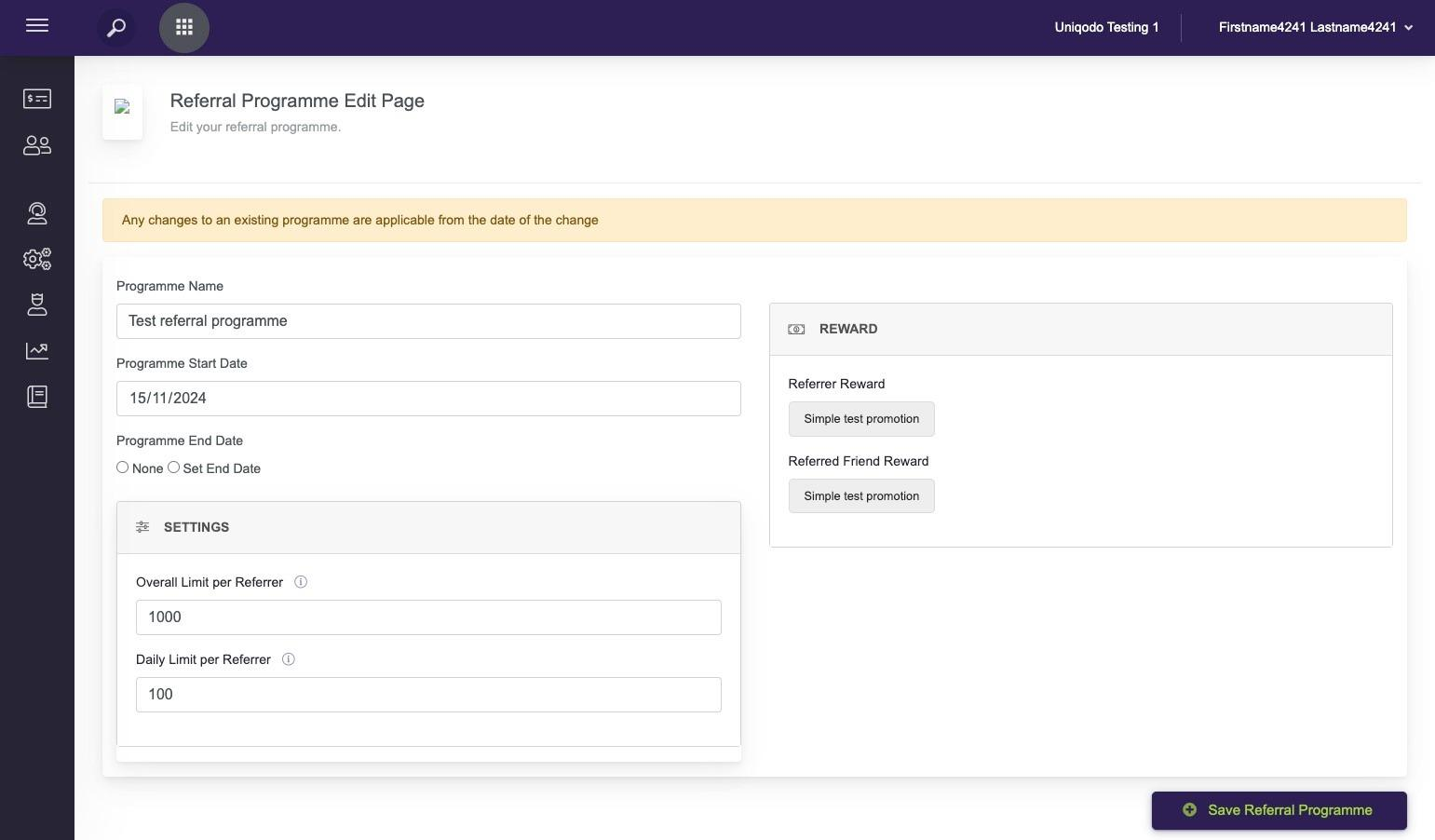
This is where you will set up:
-
Programme Name - give it something descriptive but short
-
Programme Start Date and End Date - if it is an ongoing referral programme then you can select 'none' for end date
-
Set the limits
-
Overall Limit Per Referrer is the maximum number of friends a referrer can invite overall, leave blank if there is no limit
-
Daily Limit Per Referrer is the maximum number of friends a referrer can invite per day, leave blank if there is no limit
-
-
Add the rewards for the Referrer and Referred Friend by selecting or creating a promotion.
Tip! The referrer and friend rewards can be different, simply set up two different promotions. Also, if you want to change the reward then go in to the promotion and edit from there.
Now that your promotions and programme are set up we will next move on to how you communicate the referral programme to your customer so that they can refer their friends.
Creating an overlay to communicate the programme to referrers