To edit a Promotion you need to access the Promotion List. Usually, this is the default page you see when you log into your Merchant account via https://your.uniqodo.com/. From here you can view, search and manage all your active and past promotions.
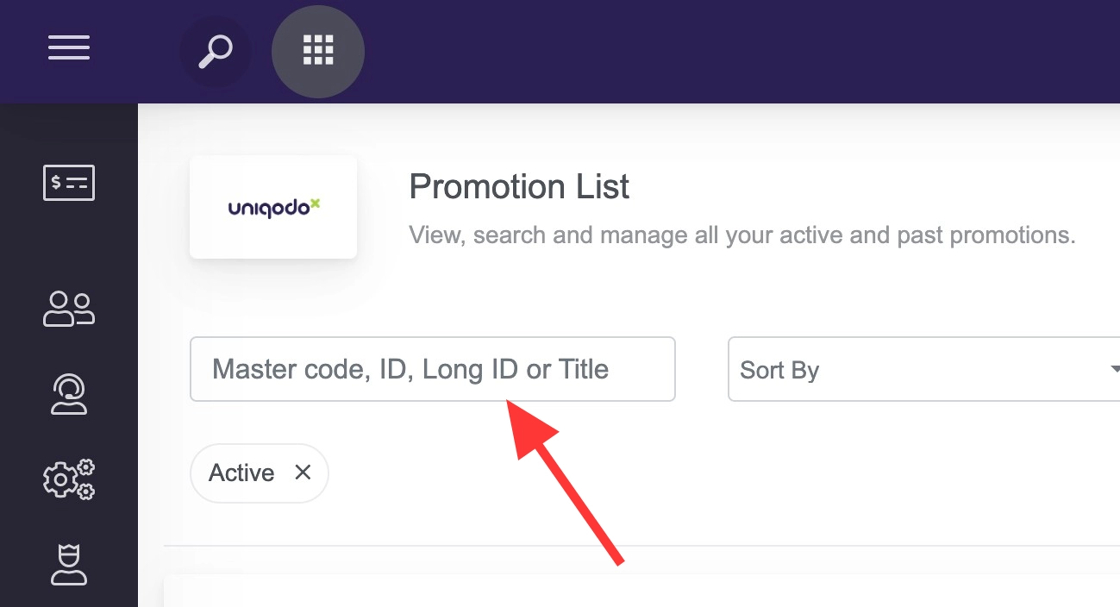
On this screen you can either scroll to find your promotion or use the search box on the top left of the screen.
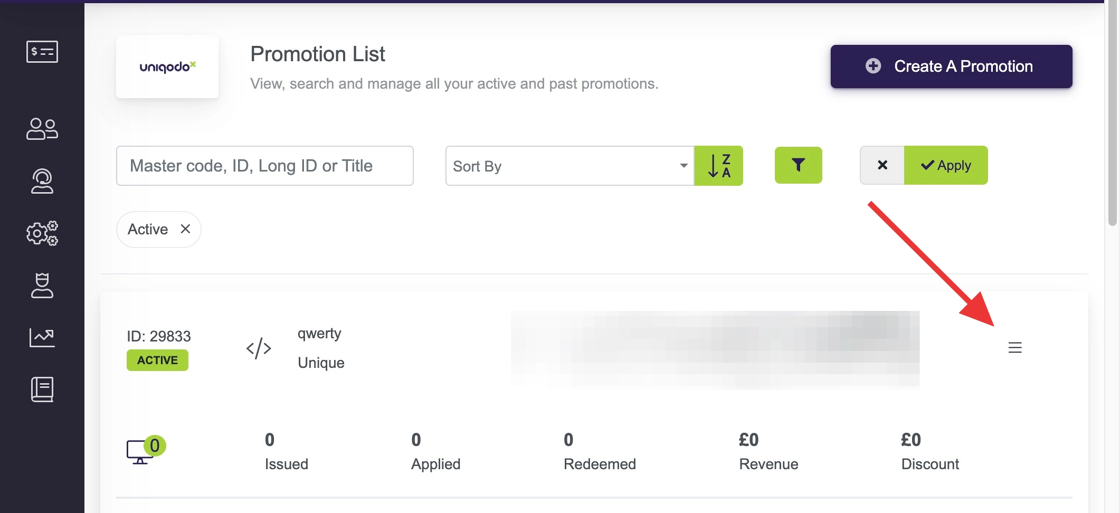
Once you locate the promotion you wish to edit simply click on the 3 lines/burger menu.
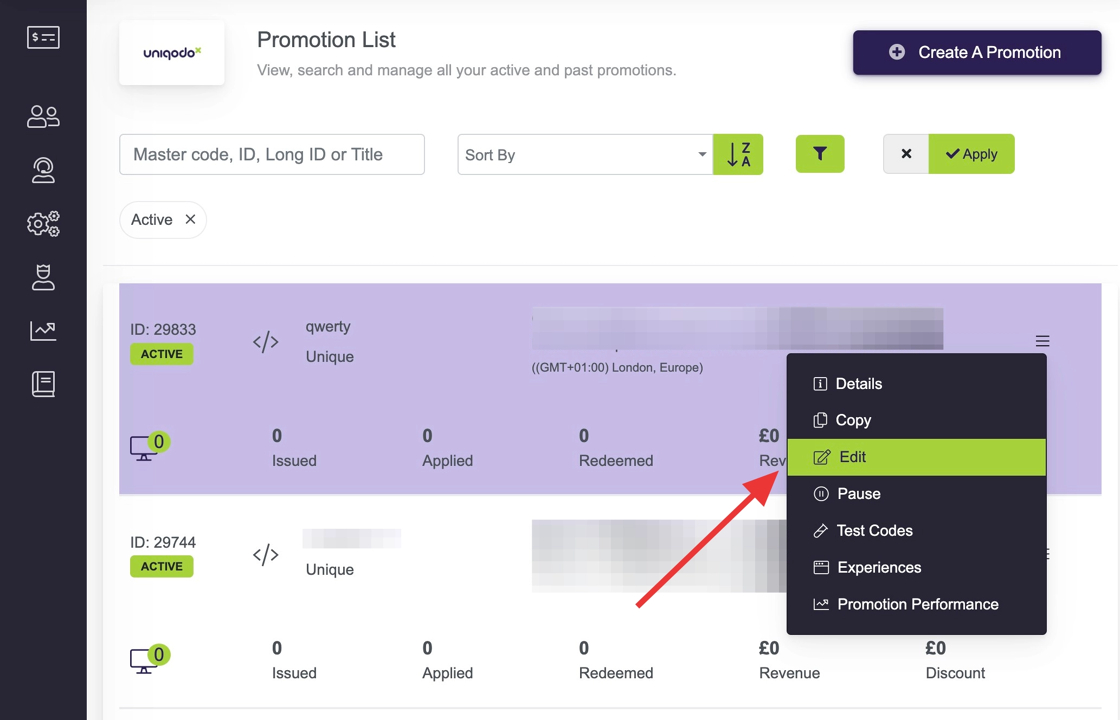
From here a menu will appear allowing you select Edit.
Editing a promotion will allow you to make changes to the various settings already applied, walking you set by set through these steps:
- Main Settings
- Reward Settings
- Code Settings
- Validation Settings
- Redemption Settings
Please remember to click Save Changes on each page as you make any changes.