
A referral program is a powerful way to attract new customers by leveraging trusted recommendations.. This guide provides a step-by-step process for setting up a referral promotion in Uniqodo. By following the outlined instructions, users can enhance their customer acquisition and retention ultimately increasing sales through referrals.
To get started with setting up your Referral Programme please get in touch with your Account Manager so that we can turn on referral in your merchant.
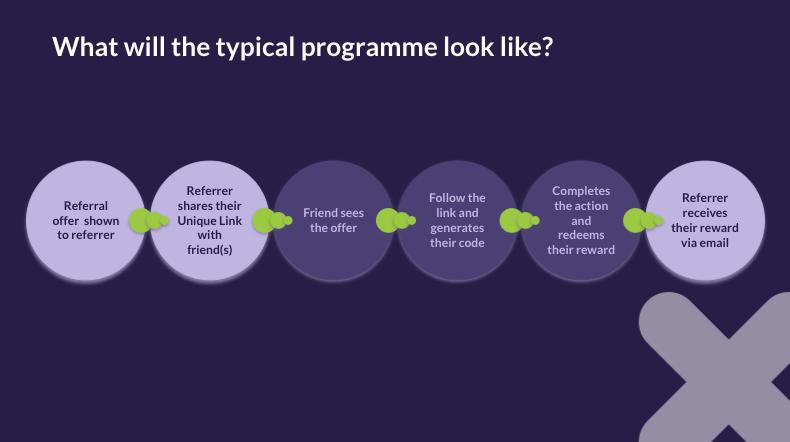
Lets walk through what a typical referral journey looks like with Uniqodo
-
Raise Awareness: Use our experience builder to create a customised overlay informing customers about the referral program. Tailor imagery, colours, content, and placeholder text for referrers' emails. Place it strategically, such as on the confirmation page, using our rule builder to control visibility.
-
Friend Experience: Provide us with your imagery and copy, and we'll design the interstitial page. Friends enter their email here to claim their referral code and reward upon purchase.
-
Reward Delivery: Referrers receive their reward via email. If you'd prefer to handle this, let us know during onboarding.
A Referral programme is made up of a number of Uniqodo tools;
-
Referral Settings - this is where you will set the dates and limits for your referral programme
-
Promotions - this is where you will configure the rewards that you will offer for both the referrer and the friend
-
Onsite Experience - this is where you will configure the experience that will be viewed by the referrer to make them aware for the referral programme and share with their friends
Next learn how to create a Referral Programme